

Inkscape: Pros and Cons
My Favorite Free Design Software

Introduction
Due to a low budget, I have spent many hours trying out free design applications.
First, I used Microsoft Paint 3D. That was a joke! I could not make professional designs using Paint 3D.
After some research, I came across GIMP, a powerful tool for photo manipulation. I used GIMP for a few years. However, the application is not meant for the type of digital design I was creating. That is when I came across Inkscape.
Pros to Inkscape
1. It is free
Inkscape is 100% free, supported by donations. There are no free trials or pro versions. Inkscape does not run ads in the software. Designs created in Inkscape can be for personal and commercial use.
2. Open source
Open source applications are distributed with their source code, allowing users to reprogram the software. The open source license grants programmers the right to redistribute the software in its original or changed state.
I am not a programmer, so why do I care?
I care because, for the average user, open-source applications typically imply more customization. You can change the theme, icons, colors, rearrange the menus/panels, and more.
3. Vector-based
Inkscape is a vector graphics editor. Vector graphics are created with mathematical formulas. They can be infinitely scaled without losing quality. Raster graphics, however, are created with pixels. When scaled, they lose quality and become blurry.
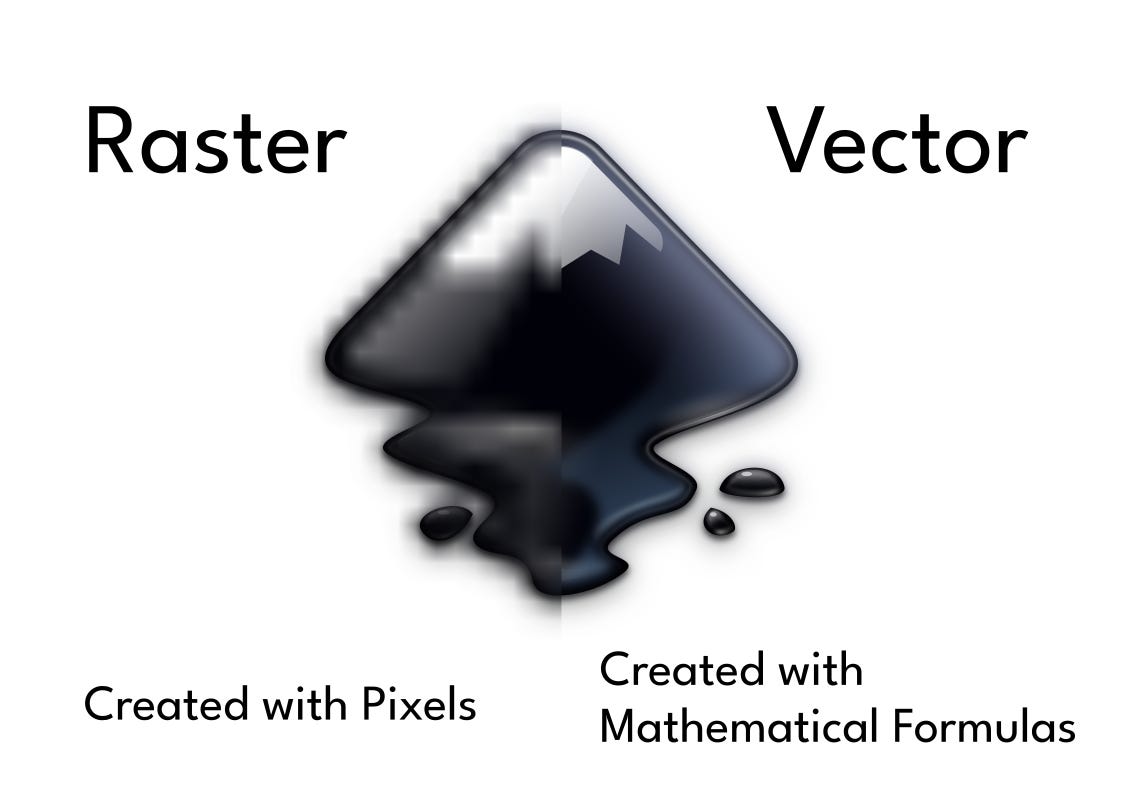
I like working with vectors because they are quality and easy to edit. From using a few non-vector design tools, I can say that working with vectors is way better for digital design.
4. Easy to Use
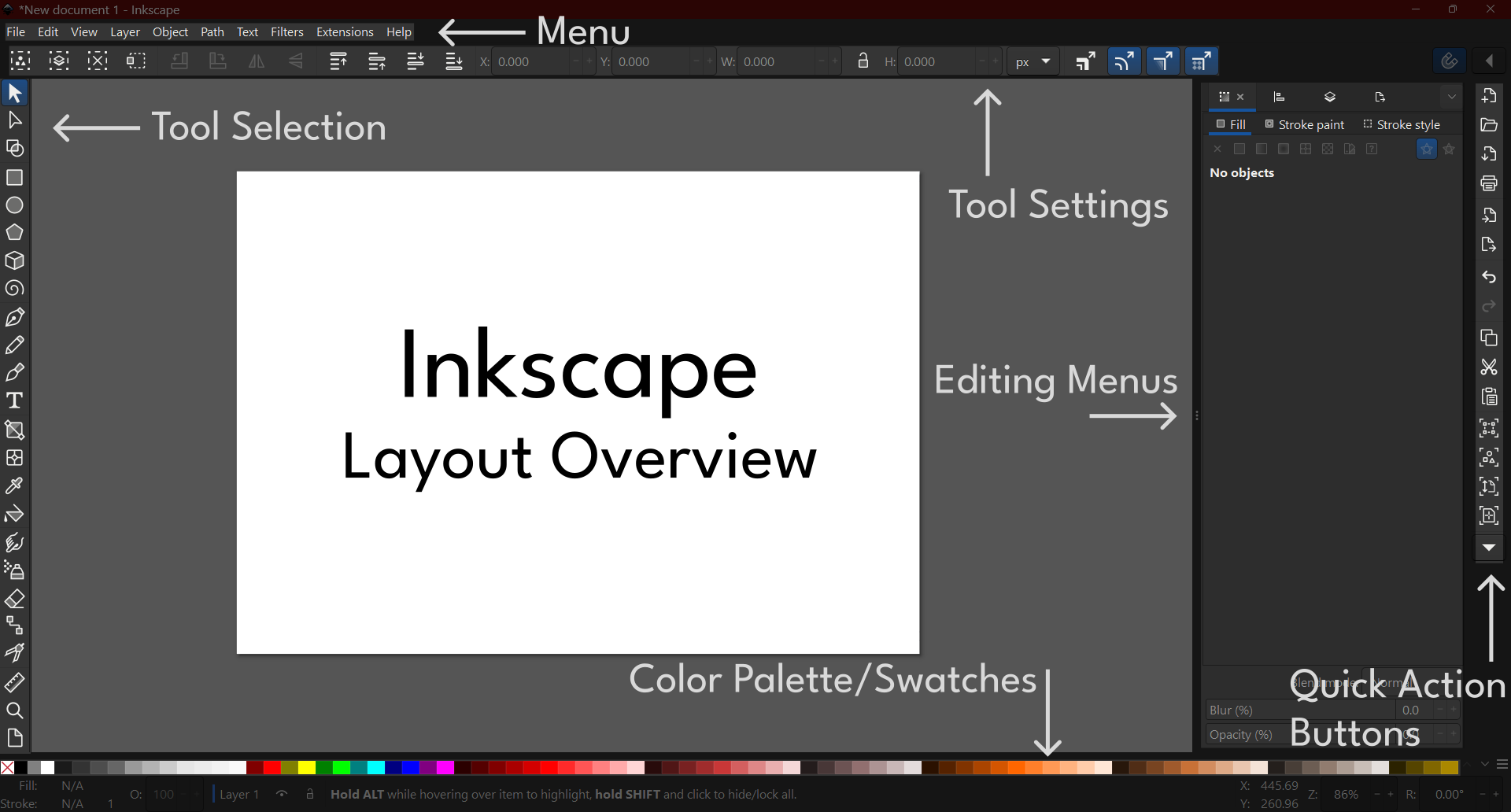
Inkscape is intuitive. The layout of it is simple. You can move things around if you prefer a different layout. Tools and settings are where you would expect them to be.
The software has several keyboard shortcuts. I use these all the time to work faster. The shortcuts make sense, so they’re easy to memorize. If you are coming from a different application (Illustrator, CorelDRAW, etc.), Inkscape lets you change the shortcuts so that they are the same as other software.
5. Feature-packed
Inkscape has a professional suite of tools. They range from selection and editing to shapes, drawing, text, gradients, and more.
The software includes editing menus such as Fill and Stroke, Layers and Objects, Align and Distribute, Text and Font, and Export.
6. Updates
Inkscape continues to release new versions of the software. They are constantly fixing bugs, modernizing the interface, and creating new features. So the software is not outdated.
7. Community
Inkscape has a large community. There is a forum and chat where you can ask questions. You can also showcase designs you have made on their website gallery.
Their website includes detailed documentation on using Inkscape. If English is not your native language, they have multiple languages available.
Cons to Inkscape
Inkscape is great, but it does have drawbacks.
1. Instability
My biggest complaint is its instability. I have been working on design projects, and the program abruptly crashes. As annoying as this can be, Inkscape automatically saves your document. So most of the time, I don’t lose any of my work.
2. Bugs
I have encountered some bugs in the software. You can report the bugs to Inkscape’s team. They fix some of them in updated versions.
3. No Templates
Inkscape does not have any built-in templates. They have some templates for document setups, but if you are looking for design templates to quickly create simple images, you’ll have to find them elsewhere. You could take the time to make a template or use some of the many design templates online that have already been created.
4. Fewer features than other software
Inkscape may fall short on some features for you. Compared to Adobe Illustrator, Illustrator offers more advanced features that make design easier.
5. CMYK not supported
Inkscape does not allow you to export your designs with a CMYK color profile. Since most of my designs are not intended for print, it’s not a big deal. If you are creating designs for print, most of the time you will need to export the document with a CMYK color profile.
Thank you for reading. Let me know in the comments what you think about Inkscape or any other design application you use.
Great post!
I use inkscape too, but I still learned some things from your post.
Thanks.